I am learning flutter from JustAcademy, They provide very much great environment where people gather and work simultaneously. totally project based training institute.
MOHD ABU BAKAR ANSARI
Flutter Developer
Awesome Experience. I am a Front-end Web Designer working at Star India for 3 years now. I applied for Full-stack development and my experience has been phenomenal & they really do help with placements exceptionally. Thank you Roshan sir so much.
A practical, honest guide to choosing your first language, understanding modern iOS development, and building a career in Hyderabad’s growing app ecosystem through live interactive, instructor led and mentor led training.
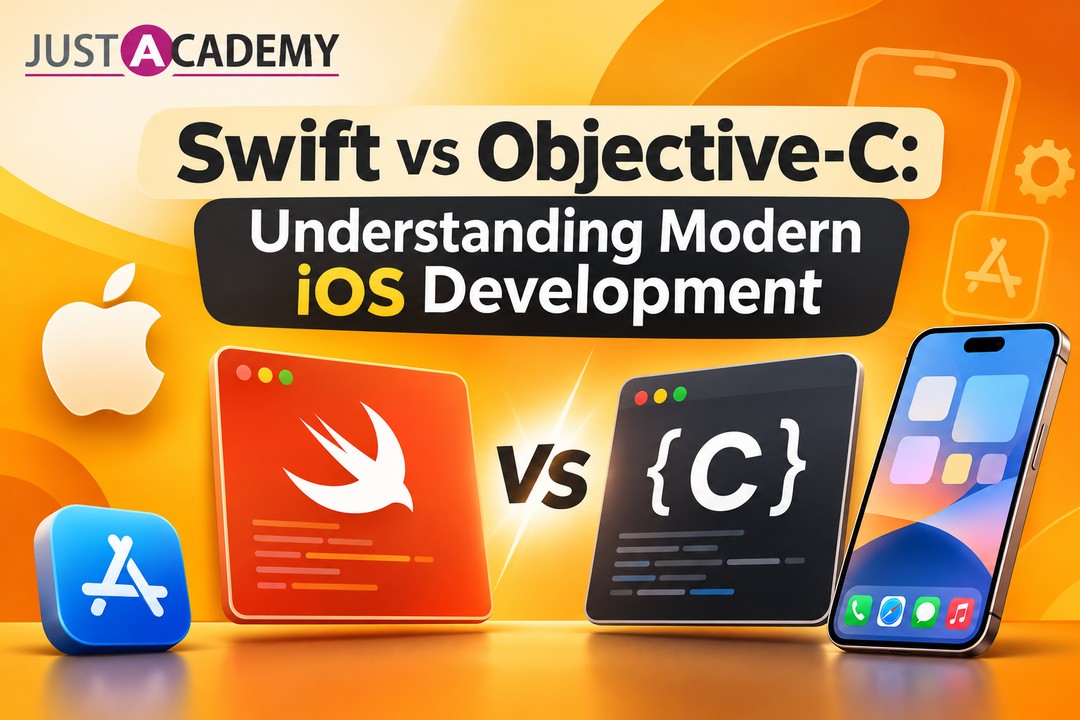
If you have spent any time scrolling through job posts from Gachibowli, Madhapur or HITEC City lately, you have probably noticed how often iOS app development shows up in them. Fintech startups, health apps, logistics platforms and product companies all want people who can ship something polished to an iPhone. And almost every beginner who decides to take that path runs into the same confusing question within the first week: should I learn Swift, or do I need to know Objective C first?
It is a fair question, and the honest answer is more interesting than a simple “Swift wins.” At JustAcademy, our iOS training in Hyderabad is built around live interactive, instructor led and mentor led sessions, so learners can ask exactly this kind of question while the code is open in front of them. If you would like to see how a real class feels before you commit to anything, you can register for a free demo session and judge it yourself. For now, let us walk through the whole Swift vs Objective C story the way a good mentor would explain it over a long coffee.
Why This Debate Still Matters to Anyone Starting iOS App Development in Hyderabad
Hyderabad is not a city that adopts technology slowly. Walk through Kondapur or Financial District on a weekday morning and you will see laptops out in every cafe, and a surprising number of them have Xcode open. The city has a deep pool of engineering talent, a thick layer of product companies, and a steady flow of service firms that build apps for international clients. That mix creates an unusual situation for newcomers: the same city that hires fresh Swift developers also keeps veteran teams maintaining old Objective C code.
The Hyderabad Context for iPhone Developers
Many of the ios software development company teams working in the city handle two kinds of work at once. One half is brand new products written in Swift, usually with SwiftUI. The other half is long running apps that were started a decade ago, when Objective C was the only serious option. A banking app launched in 2013, for example, may still carry thousands of lines of Objective C inside it. Nobody rewrites that overnight, so someone has to read it, fix it and slowly migrate it.
This is why the debate is not purely academic. If you know where each language lives, you can walk into an interview and speak with the confidence of someone who understands real codebases rather than only tutorial projects.
A Quick Story of How We Got Here
Objective C appeared in the early 1980s as a way to add object oriented ideas to the C language. It travelled through NeXT, and when Apple bought that company in 1996, the language came along and became the heart of Mac and later iPhone programming. For years, every app you ever tapped on an iPhone was written in it.
Then in 2014, Apple surprised the world at its developer conference by announcing Swift. The goal was clear: give Apple developers a language that was faster to write, safer to run and friendlier to learn. A year later Swift went open source, and today it is the default choice for almost every new Apple project.
The Mistake Most Beginners Make
The most common mistake I see is treating this as a purity test. People spend weeks reading forum arguments about which language is “better” instead of writing a single screen of an app. Another version of the same mistake is deciding to learn Objective C first “to understand the foundations.” That sounds noble, but it usually just burns motivation. You can understand how iOS works through Swift perfectly well, and you can pick up Objective C reading skills later if a job demands it.
Meeting Objective C, the Old Guard of Apple Development
Before you can compare two languages honestly, you need to give the older one a fair hearing. Objective C is not a bad language. It is a language from a different era, and it carries the design instincts of that era.
How Objective C Thinks
Objective C is built on top of C, which means everything in C works inside it. On top of that foundation, it adds a message passing model. When you call a method, you are technically sending a message to an object, and the object decides at runtime how to respond. This makes the language very dynamic. You can swap behaviours while the app is running, inspect classes on the fly and do things that stricter languages simply refuse to allow.
That flexibility is also why so many older Apple frameworks feel the way they do. They were designed for a language where almost anything could be decided late.
Brackets, Headers and the Learning Curve
If you have never seen Objective C, its look can be startling. Square brackets wrap method calls, strings start with an at sign, and every class is split across a header file and an implementation file. Here is a tiny example next to its Swift equivalent:
let greeting = "Namaste, Hyderabad"
print(greeting)
Both lines do the same job. One reads like a sentence, and the other asks you to remember pointers, format specifiers and symbols that only matter inside that one language. For a beginner who is also learning what a view controller is, the extra noise matters.
Where Objective C Still Lives Today
Objective C has not vanished. You will still find it in older enterprise apps, in some SDKs that were never rewritten, and in the internals of many popular libraries. Apple’s own frameworks have their roots in it too, and the Swift compiler can talk to all of that code directly.
For a working iPhone developer, the practical goal is to be able to read Objective C comfortably and write a little when needed. Becoming fluent enough to start a new project in it is rarely required anymore. That distinction will save you a lot of study time.
Swift Programming Language and the Reason Apple Built It
Swift was not created to be fashionable. Apple built it because the old way was making developers slower and apps crashier than anyone wanted. When you learn Swift programming today, you are learning a language shaped by a decade of lessons about what beginners and experts both struggle with.
Swift Syntax That Reads Like Plain English
Good Swift code is surprisingly readable even to people who have never programmed. Variables are declared with let and var, functions use clear labels, and there are no header files to keep in sync. When you write Swift coding for the first time, you spend your energy on the idea rather than the ceremony.
swift
func welcome(student name: String, from city: String) -> String {
return "Welcome \(name) from \(city)"
}
print(welcome(student: "Ananya", from: "Hyderabad"))
Notice how the call reads almost like a spoken sentence. That readability is not an accident, and it makes code reviews and team handovers much smoother.
Safety Features That Save You at Two in the Morning
The feature that wins over most experienced developers is optionals. Swift forces you to deal with the possibility that a value might be missing before the app runs, rather than letting it crash in front of a user. Strong typing, clear error handling and automatic memory management add more layers of protection.
If you have ever lost a night debugging a null pointer crash, you will understand why this matters. A language that catches mistakes at compile time is a gift when you are building something that real people will install on their phones.
Swift Playgrounds and a Gentle Way In
One of the friendliest parts of the ecosystem is Swift Playgrounds. It lets you type a few lines, see results instantly and experiment without building a full app. Many of our learners start there in the very first session, because seeing a result within seconds keeps curiosity alive.
If you want a deeper walk through the skill list that employers expect from a beginner, this Swift programming guide on the skills required to become an iOS developer is a good companion read to this section. It breaks the language topics down in a way that pairs nicely with classroom practice.
Swift vs Objective C Side by Side
Now that you have met both languages, it helps to see them on the same page. The table below summarises the differences that matter to a learner or a hiring manager, not just to language nerds.
Area
Swift
Objective C
Year introduced
2014
Early 1980s
Syntax style
Clean, modern, close to plain English
Verbose, bracket based, C heritage
Learning curve
Gentle for beginners
Steep, especially pointers and headers
Safety
Strong typing, optionals, compile time checks
Dynamic, more errors surface at runtime
Performance
Fast, steadily optimised by Apple
Fast, mature, but less room for modern optimisation
Memory handling
Automatic reference counting with clear rules
Automatic reference counting, but easier to misuse
UI frameworks
SwiftUI and UIKit
UIKit
New project use
Default choice
Rare
Legacy codebases
Can interoperate
Very common
Community momentum
Growing every year
Stable but shrinking
Syntax and Readability
Readability is where the gap is widest. Swift code tends to be shorter, and shorter code has fewer places for bugs to hide. A typical Swift screen can be a third of the length of the Objective C version, which also makes onboarding new teammates faster.
Performance and Memory
Performance is closer than many people assume. Objective C is a compiled language with a mature runtime, and well written apps in it run perfectly well. Swift has the edge in modern optimisation work, and Apple clearly invests its energy there. For most apps you will build in your first two years, the speed difference will never be the deciding factor. Clean architecture will matter far more than the language.
Tooling, Community and Hiring
Tooling support is overwhelmingly tilted toward Swift now. New Apple sessions, sample projects and documentation lean on it. Third party libraries are increasingly Swift first. When a recruiter in Hyderabad writes a job description for iOS app development today, Swift is almost always listed first, with Objective C added as a “good to have” for maintenance work.
What Modern iOS Development Looks Like Right Now
Learning a language is only half of becoming an iOS developer. The other half is understanding the ecosystem in which that language works. Modern iOS development has shifted noticeably in the last few years, and a good course should reflect that shift.
SwiftUI and UIKit Living Together
SwiftUI, introduced in 2019, lets you describe an interface declaratively. You say what the screen should look like for a given state, and the framework handles the updates. It has matured quickly, and many new apps start with it.
UIKit, however, has not gone away. Lots of production apps still rely on it for complex screens, and many companies run hybrid projects. A well rounded iOS programmer knows enough UIKit to survive in older code and enough SwiftUI to build fresh features quickly.
Mixing Swift and Objective C in One Project
Here is a detail that surprises many beginners. You do not have to choose one language per project. Apple designed the toolchain so that Swift and Objective C can live inside the same app and call each other through a bridging header. That is how real teams migrate gradually: a new feature gets written in Swift while the older modules keep running untouched.
This is exactly why learning Swift first is such a safe strategy. You can start productive work immediately, and when you meet an Objective C file later, you will already understand the concepts it expresses. You only need to learn its dialect.
Habits That Define a Modern iOS Developer
Beyond frameworks, a few habits separate employable developers from tutorial followers. Writing small, testable functions. Using version control from day one. Reading Apple’s documentation instead of only copying answers. Thinking about accessibility, dark mode and different screen sizes before the client asks. These are the habits our mentors push in every batch, because a portfolio that shows them stands out immediately.
Where Swift Fits When You Want One Idea on Both iPhone and Android
Almost every founder and every student eventually asks the same thing: “Can I just build it once and publish it everywhere?” It is a reasonable instinct, and it deserves a thoughtful answer instead of a sales pitch.
Mobile App Development for iOS and Android: Native or Cross Platform
There are two broad ways to approach mobile app development for iOS and Android. The native path means building a separate app for each platform, Swift for iPhone and Kotlin for Android. The cross platform path means using a shared framework so one codebase can serve both.
Native apps usually feel the most polished, get new platform features first and handle demanding tasks like camera pipelines or heavy animation more smoothly. Cross platform tools reduce cost and speed up the first release, which is attractive when budgets are tight. Neither approach is universally right. The best choice depends on your product, your team and how quickly you need to reach users.
Swift to Kotlin and the Skills That Transfer
If you ever decide to learn the Android side, the move from Swift to Kotlin is gentler than most people expect. Both languages share ideas like null safety, concise syntax, closures and strong typing. A developer who is comfortable with optionals in Swift will recognise nullable types in Kotlin almost instantly.
That transferability is one of the strongest arguments for learning Swift well. The concepts you master do not stay locked inside Apple’s world. They become a foundation for making an app for Android and iOS later, whether you do it through two native apps or a shared framework.
Mobile App Development for iOS and Android: Building a Wider Profile
A strong mobile developer in Hyderabad rarely knows only one thing. Many of our learners pair Swift with Python training in Hyderabad because backend scripts, automation and data handling make them far more useful on a product team. Others add JavaScript training in Hyderabad so they can work with web APIs, build admin panels or move toward React Native later.
If you are drawn to the idea of owning an entire product from design to launch, our full stack mobile app development bootcamp, which you can explore on the JustAcademy job bootcamp page, connects the iOS and Android sides into one guided program. It is worth a look if you are leaning toward building your own product.
Careers, Salaries and Hiring in Hyderabad’s iOS Market
Learning for its own sake is a wonderful thing, but most people reading this also want a job. So let us talk about what the market actually looks like.
Roles You Can Aim For
A fresh learner usually lands first as a junior iOS developer or an associate software engineer working on a mobile team. With experience, roles branch out into senior iOS engineer, mobile architect, technical lead and, for the product minded, mobile product owner. Hyderabad also has plenty of openings in quality assurance for mobile apps, which is a smart entry route for people who enjoy testing and automation.
The employers range widely. Product startups, large global capability centres, consulting firms and the many ios mobile app development companies that serve international clients all hire in this city. Each environment teaches different things, so it is worth sampling more than one over your career.
Salary Expectations Without the Hype
Salaries depend on experience, company type, your portfolio and how well you perform in technical rounds. Instead of throwing numbers at you that may be outdated by the time you read this, I would rather point you to a detailed breakdown. This guide on mobile app developer salary in India, skills and career growth explains how pay typically grows with skills and what factors push it higher.
One honest observation from watching learners over the years: the ones who treat their portfolio as a living project, not a certificate, tend to negotiate better offers. A published app, even a small one, speaks louder than a long list of topics.
The Business Side: Services, Companies and ios App Development Cost
Not everyone wants a job. Some of you will eventually freelance, start an agency or build a product of your own, and then the conversation shifts to ios app development cost. Costs vary a lot depending on complexity, design effort, backend needs, testing and ongoing maintenance. A simple utility app and a full commerce platform are completely different projects.
Understanding this helps even if you stay employed. When you know why a feature takes three weeks instead of three days, you communicate better with managers and clients. It is also useful if you ever compare an iphone app development agency against building a team in house.
A Realistic Learning Path From Zero to Your First App Store Release
Let us move from theory to practice. If you want to make your own iPhone app, you need a path that is ambitious but honest about how long things take.
The First Month: Language and Logic
The first few weeks should go to Swift fundamentals. Variables, constants, collections, functions, control flow, structs, classes and enums. Use Swift Playgrounds and small exercises. Do not rush into app screens yet. The goal is to be comfortable enough that code stops looking like a foreign language.
This is also the stage where instructor led teaching pays off most. A good trainer will spot the small misunderstandings that quietly grow into big confusion later, such as mixing up value types and reference types.
Months Two and Three: Interfaces, Data and Real Screens
Now you start to build your own iOS app in small pieces. Learn SwiftUI layouts, navigation, lists and forms. Pull data from an API, store things locally and handle errors gracefully. Introduce UIKit basics so you can read older projects.
Design matters here too. Many beginners build functional but awkward screens because nobody taught them basic design thinking. That is why we encourage pairing development with Figma training in Hyderabad, where you learn to plan screens, spacing and flows before writing a line of interface code. An app that looks considered gets noticed in a portfolio review.
Months Four to Six: Projects, Polish and Publishing
The last stretch is where you become employable. Build two or three complete apps that solve believable problems. Add authentication, push notifications, offline handling and testing. Prepare for App Store review, learn about certificates and provisioning, and publish at least one build, even as a test release.
Then practise explaining your work. Interviewers in Hyderabad often ask candidates to walk through an app they built and justify their decisions. Being able to say why you chose a particular architecture or why you handled an error a certain way is more impressive than reciting definitions.
Why Structured Training Beats Learning Alone
I have nothing against self study. Plenty of great developers started with free videos and stubborn curiosity. But there is a reason many learners stall after the first month, and it is rarely about intelligence. It is about missing feedback.
The Power of Live Interactive, Instructor Led Sessions
In live interactive sessions, you can stop the trainer mid sentence and say, “I did not follow that.” You can share your screen, show a bug and have someone walk through it with you. That immediate loop is something recorded content cannot replicate. Our instructor led classes are designed around practice, with explanation followed quickly by hands on work, so that concepts stick.
For learners in Hyderabad, these live interactive online batches remove the travel problem entirely. You can attend from home, from a hostel or from your workplace, and still get the same attention as a classroom.
Mentor Led Sessions and Honest Feedback
A mentor led session is different from a lecture. Here the focus is on your code, your project and your doubts. A mentor reviews how you structured a view model, tells you when your naming is confusing and pushes you to refactor something that works but will not scale. That kind of feedback is what turns a learner into a professional.
It also builds confidence for interviews, because you rehearse explaining your decisions to someone who asks hard questions kindly.
Placement Support, Classroom Options and a Trusted Institute
JustAcademy is an ISO certified technology training institute, and many learners look at it as the best course in Mumbai for iOS and mobile skills because of its practical, project focused approach. If you are ever in Maharashtra and prefer to learn in person, the iOS training in Mumbai classroom program is available, with branches in Mumbai and Pune. Learners anywhere in India, including Hyderabad, can join the online iOS training through live interactive training from the comfort of their own city.
Across both formats, placement support is part of the journey. That means resume reviews, mock interviews, portfolio guidance and help connecting your skills with hiring opportunities. We are honest that no institute can promise a job, because the final effort is yours, but the right support makes that effort count for much more.
If you are curious how all of this feels in practice, you can download the brochure to see course structures and learning outcomes at your own pace.
Questions Hyderabad Learners Ask Us Most Often
Over the years, certain questions come up in nearly every batch. Answering them here might save you a few weeks of doubt.
Is Objective C Dead, and Should I Skip It Completely?
It is not dead, but it is no longer where new careers begin. Skip it as a starting language, and treat it as a reading skill you pick up later if your job needs it. Swift gives you faster progress and more current opportunities. Knowing Objective C basics will simply make you more valuable on teams that maintain older apps.
Can I Learn Swift Without a Computer Science Degree?
Absolutely. Plenty of successful iOS programmers come from commerce, arts or non computing engineering backgrounds. What matters is consistency, a Mac to practise on, and the habit of building small projects. A structured course gives you the sequence, and your effort gives it momentum.
How Long Does It Take to Become Job Ready?
For most learners who study consistently, five to eight months is a realistic window to reach junior level readiness, depending on prior experience and weekly hours. Some people move faster, and some need more time, and neither is a failure. The portfolio you build matters more than the calendar.
Do I Need a Mac, and What Else Should I Prepare?
You do need a Mac to build and test iOS apps in Xcode, since Apple’s tooling runs only on macOS. Beyond that, bring patience, a notebook for concepts you want to revisit and a willingness to make mistakes publicly during sessions. Mistakes shared with a mentor are the quickest way to learn.
Should I Learn iOS First or Think About Android and iOS Together?
If your goal is a focused career in Apple development, start with Swift and go deep. If your goal is to ship one product to everyone, you can learn Swift first, understand the native side properly and then explore cross platform options with a clearer mind. Starting deep rarely hurts, and it makes every later choice better informed.
A Closer Look at How Swift Code Reaches Real Users
Many tutorials stop at the editor, which leaves learners surprised when real projects bring in extra steps. A short tour of the journey from code to customer will make your first project feel much less mysterious.
From Xcode to the Simulator and Real Devices
Everything starts in Xcode, Apple’s development environment. You write Swift code, preview SwiftUI screens, run the app in the simulator and then test on a physical iPhone to see how it truly behaves. Simulators are convenient, but real devices expose problems with performance, permissions and gestures that you would otherwise miss.
Learning to debug in Xcode is its own skill. Breakpoints, the console and the memory graph are tools you will use constantly, and a mentor can show you shortcuts that take months to discover alone.
Testing, Review and Release
Before an app reaches the App Store, it passes through testing and Apple’s review process. Writing unit tests for key logic, using TestFlight to share builds with testers and preparing clear screenshots and descriptions are all part of professional iOS app development. Skipping these steps is how apps get rejected or ship with embarrassing bugs.
Teams at any ios app development company treat this pipeline seriously, so employers love candidates who already understand it. Even a small published project shows that you can finish things, which is a quality hiring managers value enormously.
Staying Current as Apple Keeps Moving
Apple updates its tools every year, and every new release brings fresh APIs and sometimes changes to best practice. The good news is that the core of Swift stays stable. Skills in logic, architecture and debugging carry forward, while framework details get refreshed. Following the Apple developers site, watching official sessions and reading release notes becomes a light yearly habit rather than a burden.
Conclusion
So, Swift vs Objective C turns out to be less of a battle and more of a handover. Objective C built the foundation of Apple development and still lives inside many important apps. Swift is the language you should start with, because it is easier to learn, safer to write and clearly where Apple is investing for the future. Learn Swift first, grow comfortable with SwiftUI and UIKit, build real projects, and treat Objective C as a skill you can add when a job calls for it.
If you are in Hyderabad and ready to turn this knowledge into a career, the best next step is to talk to people who can guide you with live interactive, instructor led and mentor led sessions, backed by placement support and a clear project path. Make your decision with a real classroom experience in front of you, not just a blog post.
A practical, honest guide to choosing your first language, understanding modern iOS development, and building a career in Hyderabad’s growing app ecosystem through live interactive, instructor led and mentor led training.
A Hyderabad friendly walkthrough of how real apps get planned, designed, built, tested and shipped, and how live interactive, instructor led and mentor led learning gets you there faster
A grounded, honest guide for Hyderabad learners, career switchers and business owners who want to build real apps with Flutter and learn from mentors, not just videos.
Forty questions, honest answers and the design skills hiring panels in Delhi quietly score, shaped around live interactive, instructor led and mentor led learning
From your very first Laravel build to client ready applications, a Delhi learner’s guide to growing real backend skills through live interactive, instructor led and mentor led practice.
A Delhi focused, mentor backed guide with 40 answered questions, live instructor led practice and a clear path from learner to hired meanstack developer
What Delhi learners and working developers can realistically earn at every stage, and the skills, stack choices and mentor led training that move the number
From your first notes app to a multi tenant SaaS build, here are the MERN stack projects Delhi learners can build with live interactive guidance and show with pride on a resume.
Drop us a Query
+91 99871 84296
Available 24x7 for your queries
Want To Connect with us
🚀 Kickstart Your IT Career
with JustAcademy
Learn Industry-Focused Courses with Live Projects & Placement Assistance
Full Stack Java(Java, Spring Boot, Hibernate, REST API, React JS)
Data Analytics(Excel, SQL, Power BI, Python, Tableau)